
-
What is a Digital Journal?
-
Types of Digital Journals
A digital journal is a tool that allows users to capture thoughts, ideas, experiences, and reflections using text, images, videos, or voice notes in a space that can be accessed anytime.
Daily • Gratitude • Idea • Travel • Project • Fitness • Dream • Vision • Goals • Learning • Growth • Meditation • Photo • Creative • Writing • To-Do / Checklist
-
The Advantages
-
The Disadvantages
- Accessible anytime from any device
- Supports multiple formats such as text, images, and voice notes
- Password protection creates a private space for reflection
- Helps reduce stress and anxiety through regular reflection
- Encourages awareness of emotions and behavioral triggers
- Digital writing may feel less personal than handwriting
- Screen fatigue and digital distractions may affect focus
- Privacy concerns such as hacking or data breaches
- Risk of data loss and losing personal memories
-
Improving The Digital Journaling Experience
- Increase practice and develop consistency
- Use multimedia to enrich the digital journaling practice
- Utilizing tags and organizational features
- Set reminders to create a consistent routine
- Answer prompts to kick-start the writing process
- Experiment with templates to maintain focus
-
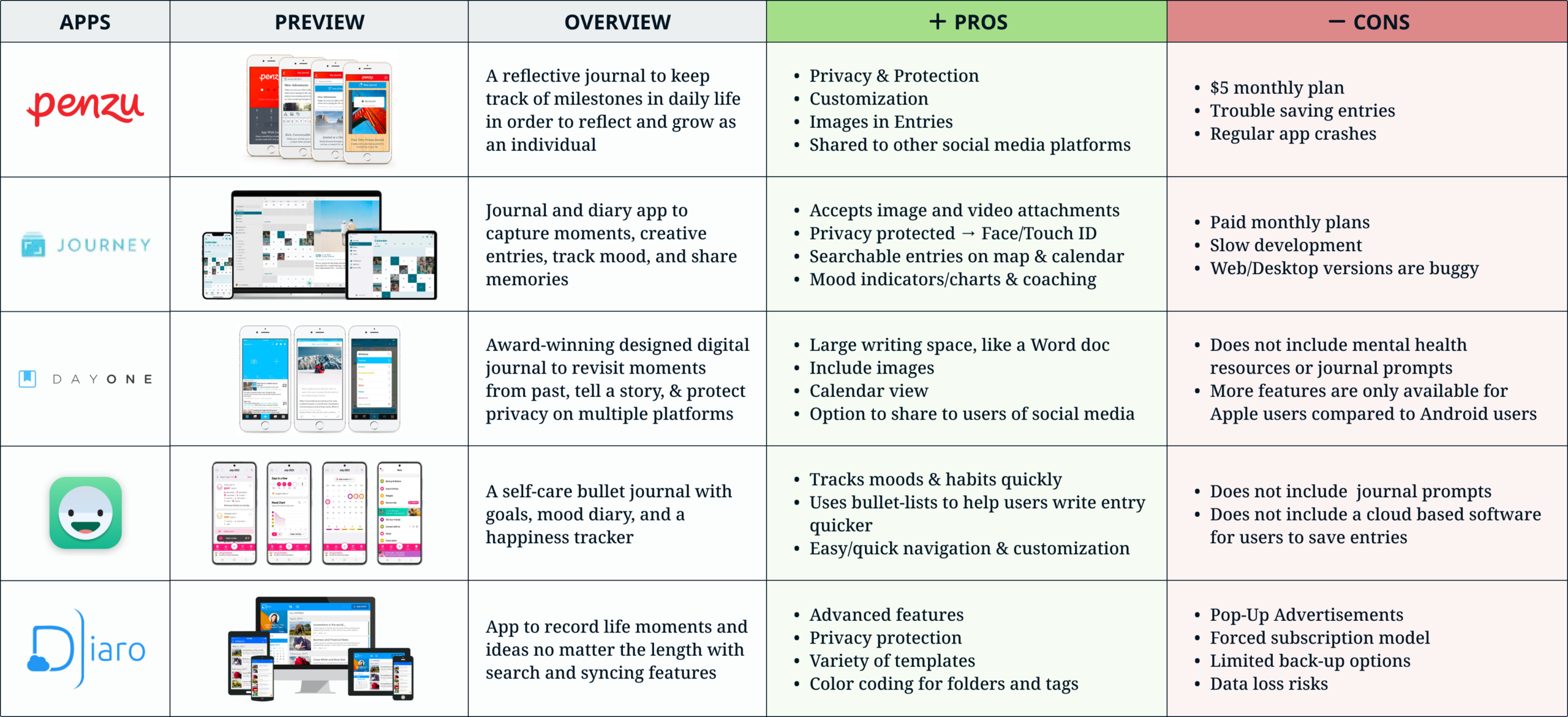
Pros & Cons of Digital Journal Platforms
I compared 5 digital journaling platforms regarding features, usability, payment plans or options, and overall layout and style.
-
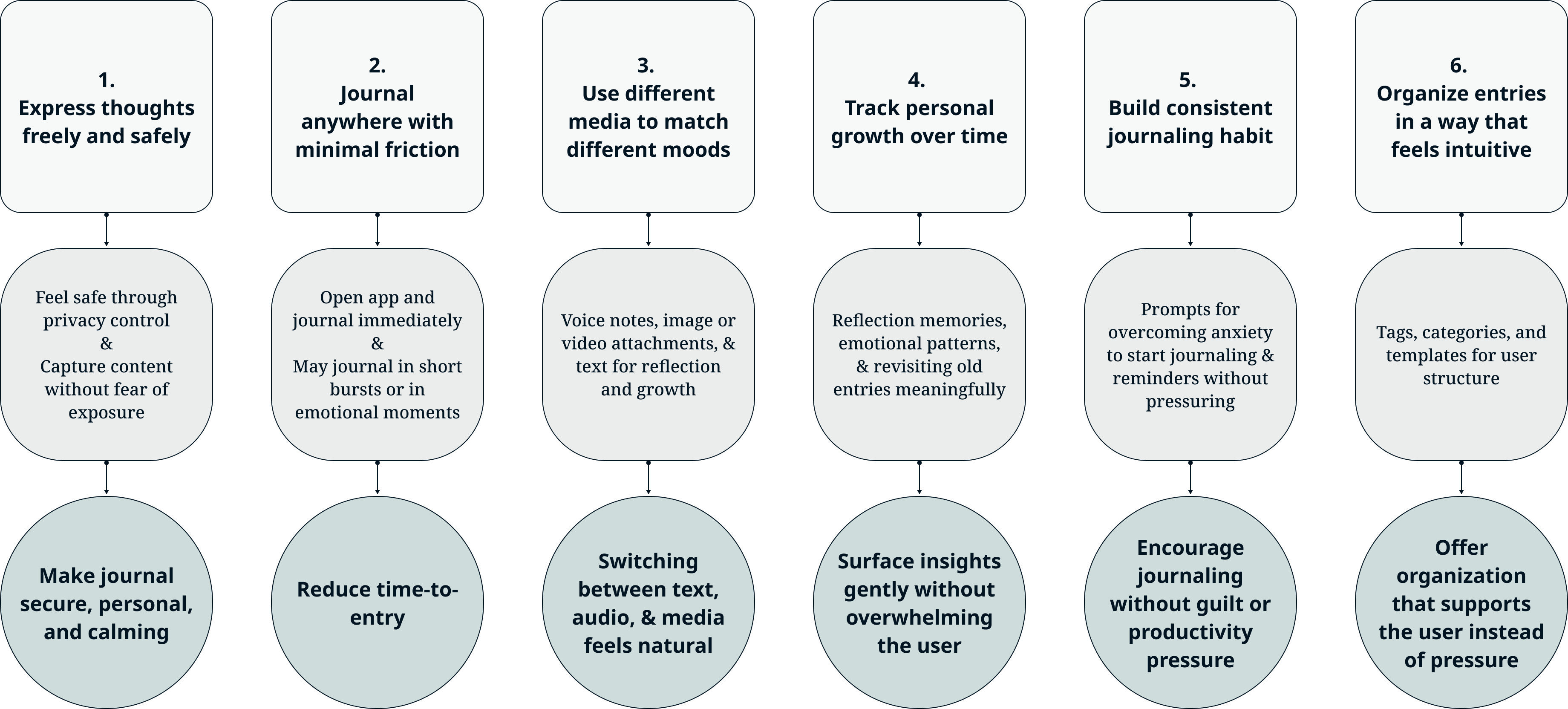
The User Goals
What the interface should help users succeed including the user and design goal.
-
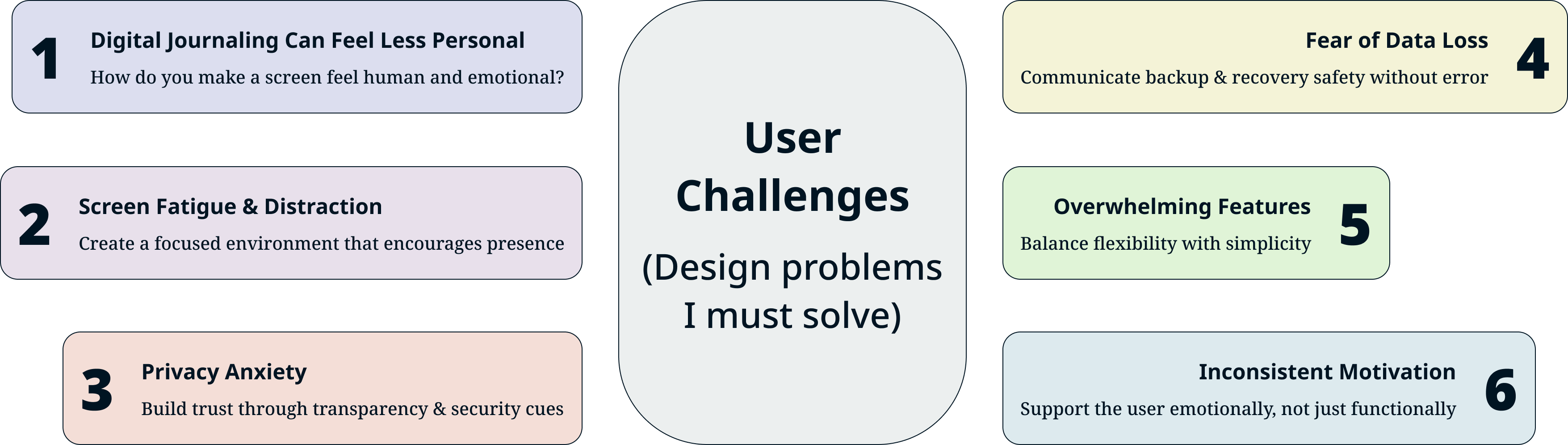
The User Challenges
The challenges the user currently faces or may think they will face using this product.
-
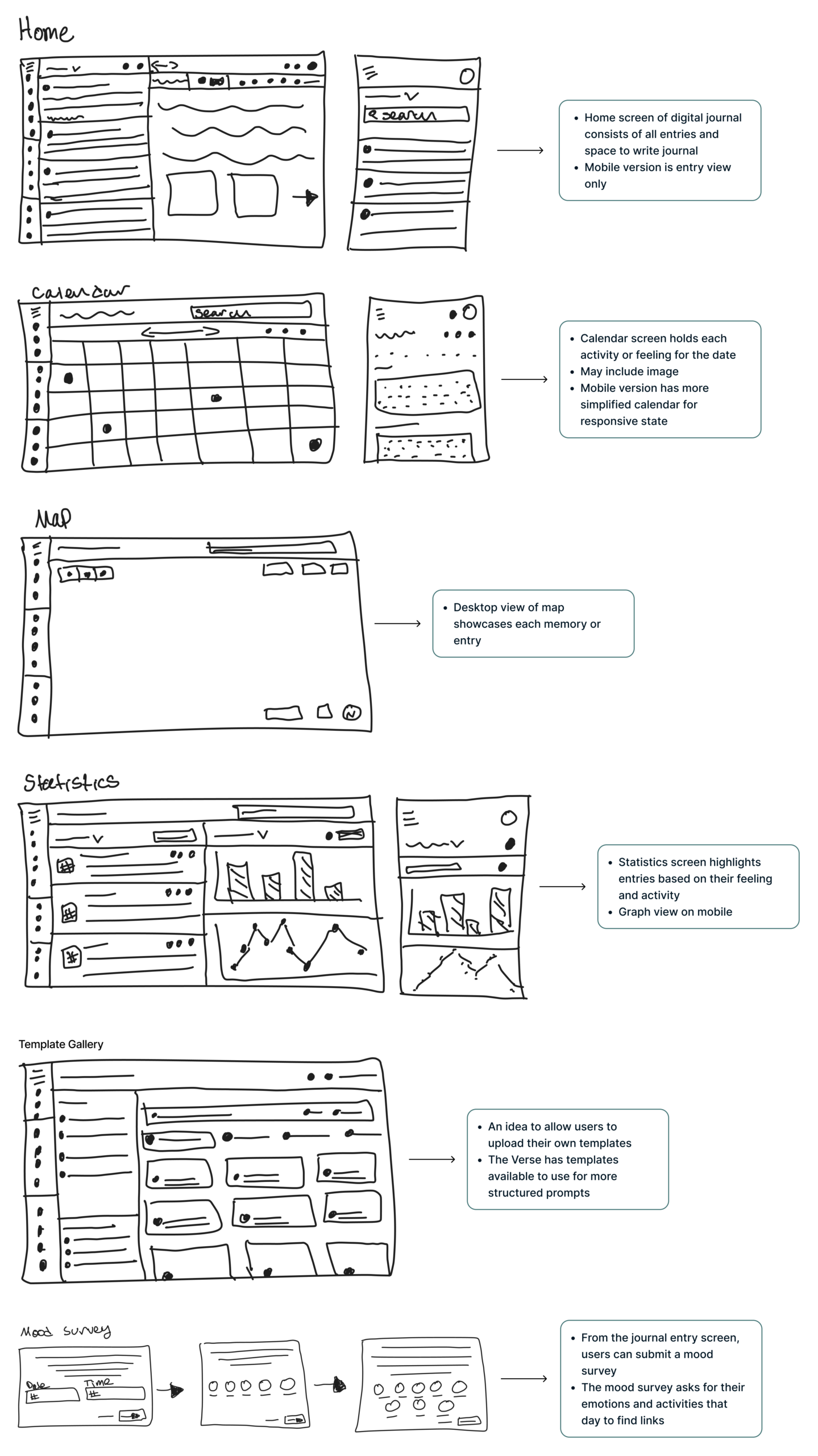
Design Sketches
The sketches below feature desktop screens for Home, Calendar, Map, Statistics, Template Gallery, and a Mood Survey.
-
Sticker Sheet
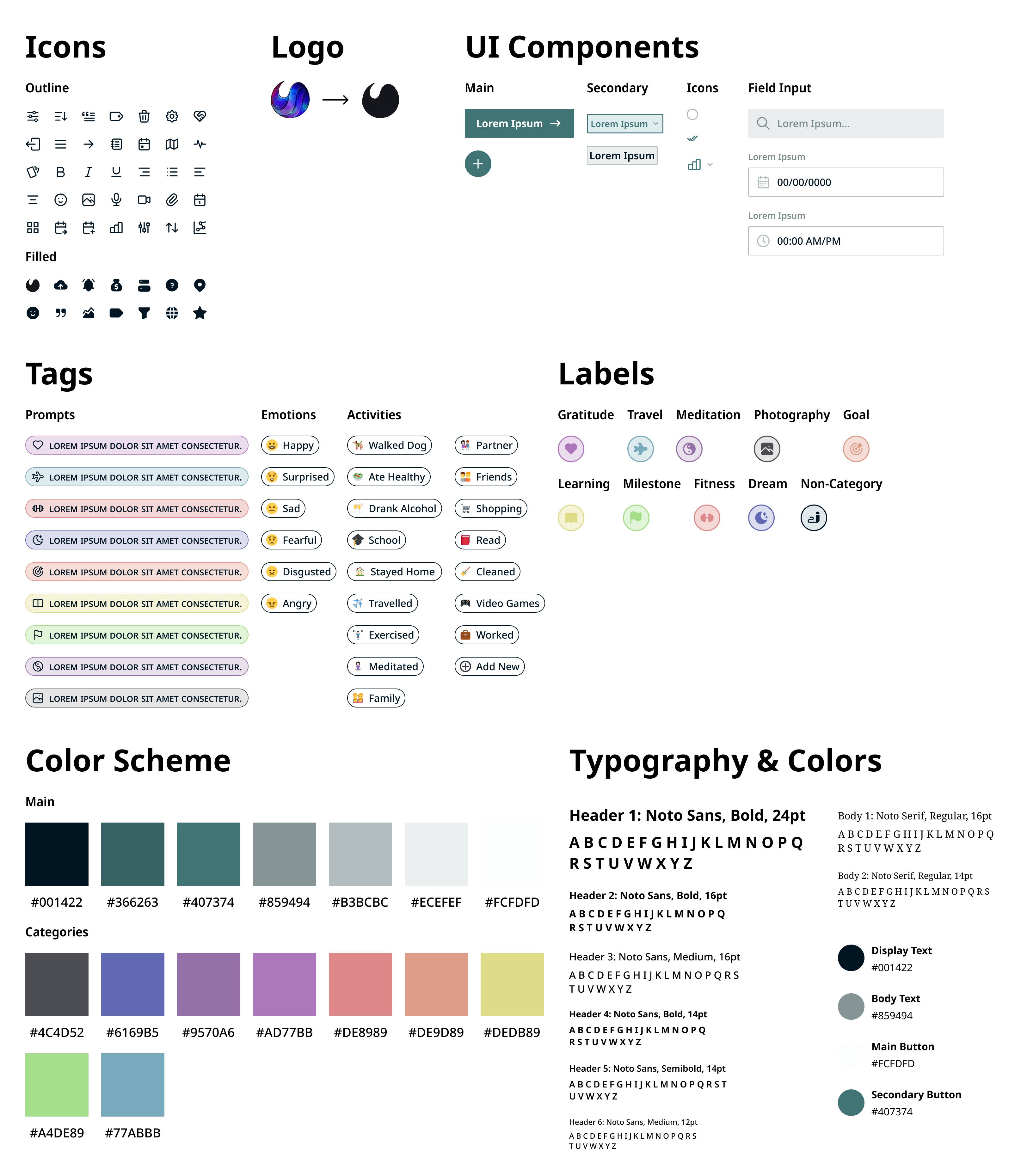
The Sticker Sheet holds the brand style guide and UI elements of the web and mobile platform. A muted nature theme was chosen for a calming and "down to earth" aesthetic while the fonts Noto Sans and Noto Serif were chosen for their modern appearance.
-
Web Mockup
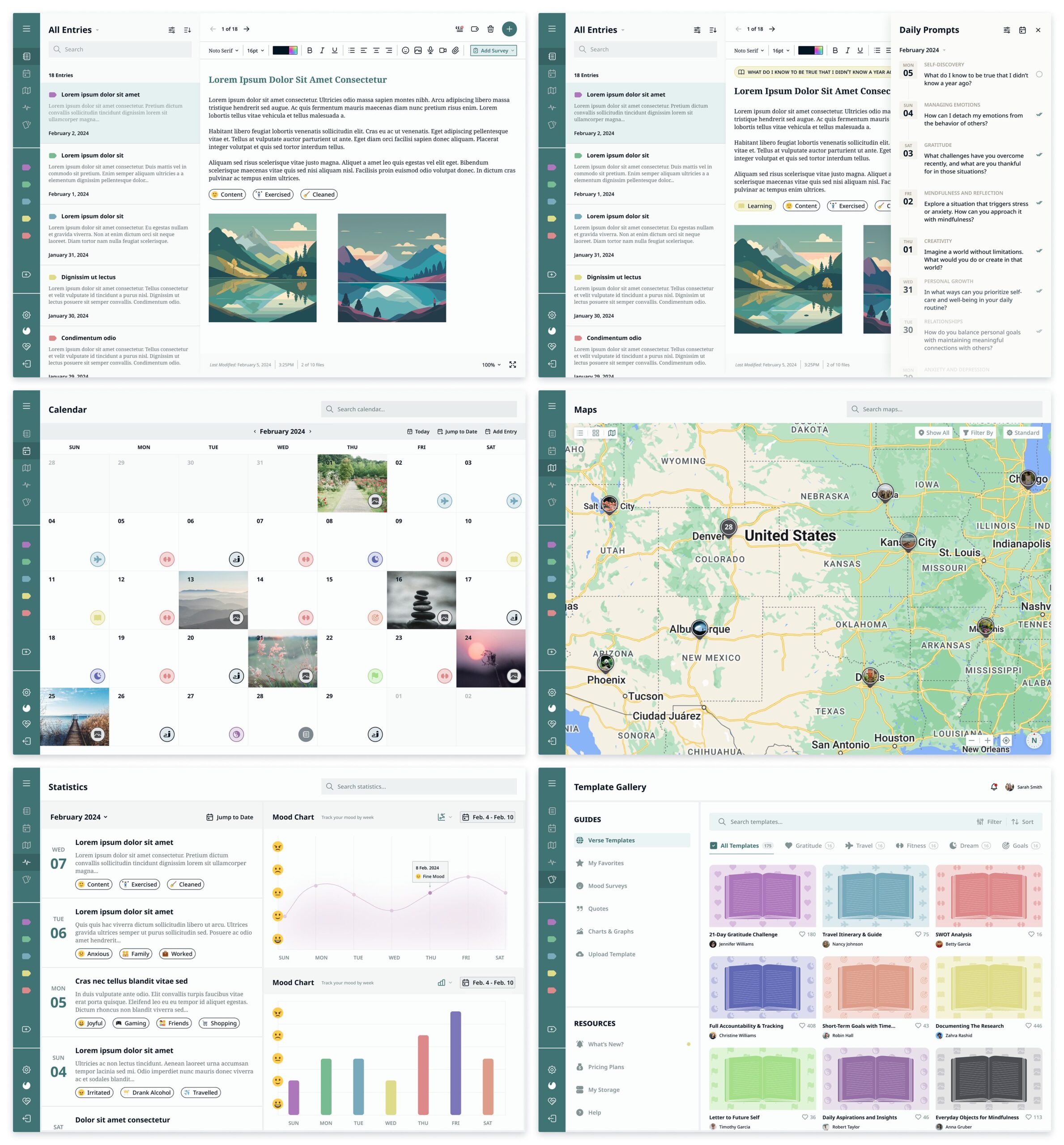
The web mockup features screens for Home, Daily Prompt, Calendar, Map, Statistics, and the Template Gallery.
-
Mobile Mockup
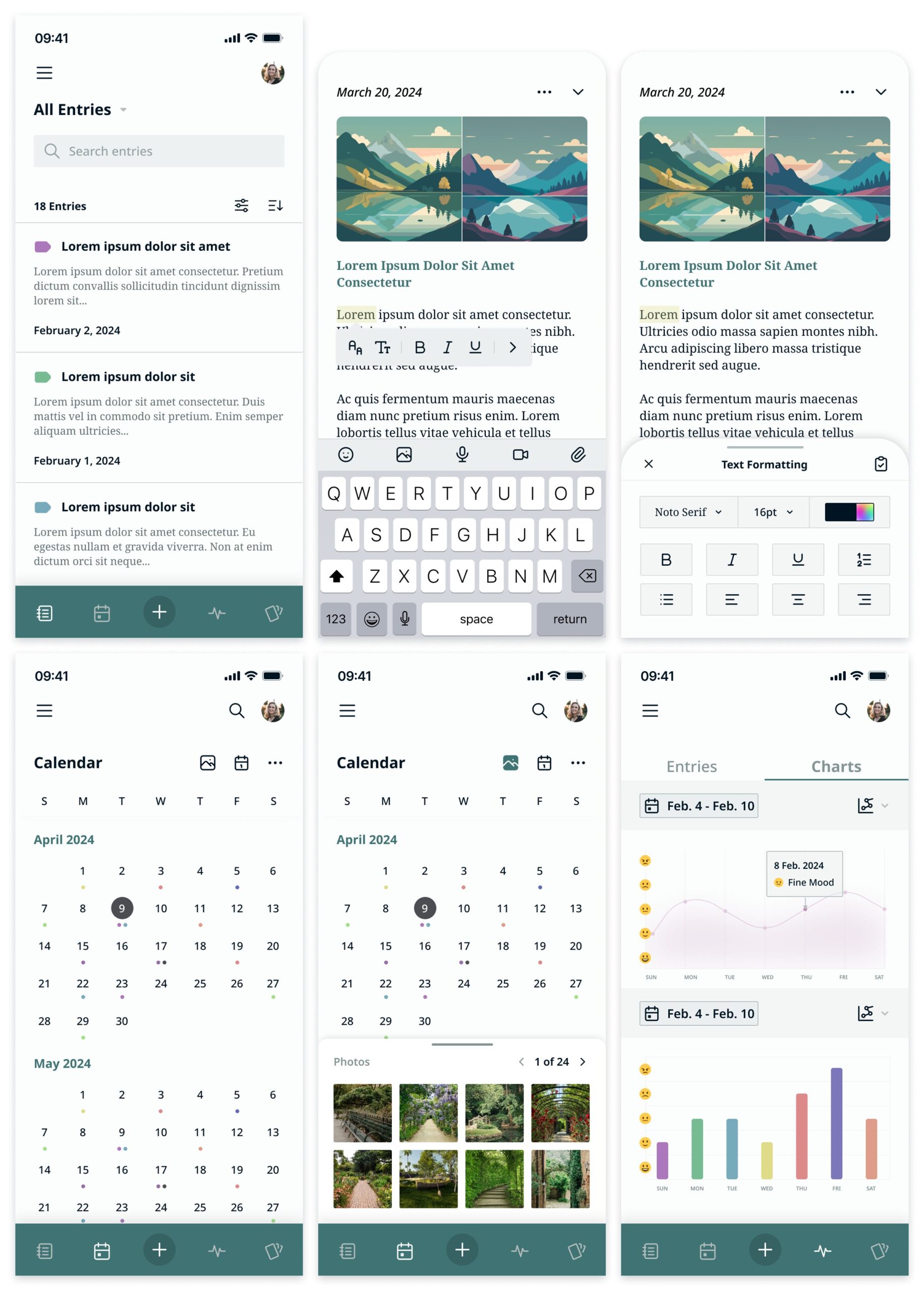
The mobile mockup features screens for Home, Journal Entries, Editing Format, Calendar, and Statistics.
-
The Prototype